Completion and Documentation
Once a language server is initialized for a file, LSP can provide suggestions and documentation based on that file's language and project.
Completion
Press ctrl+space or run lsp:complete at the caret.
Servers can also advertise characters that trigger completion while typing.
The plugin integrates with Pragtical's bundled Autocomplete plugin.
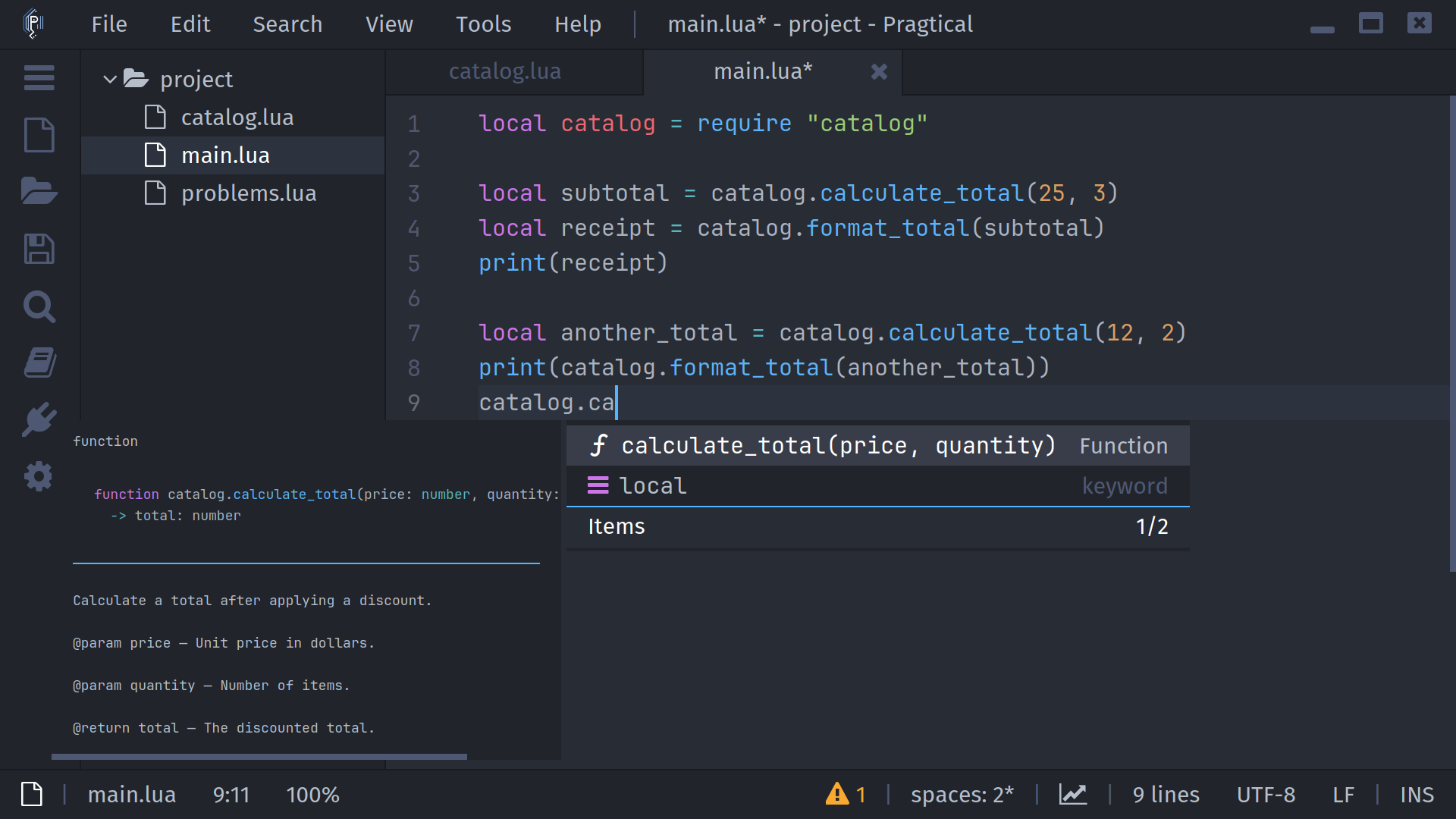
Use up/down to select a suggestion and tab to insert it. You can scroll the results with the mouse wheel and choose an item with the mouse. Use escape to dismiss the list.
Manual completion falls back to the editor's ordinary autocomplete when there is no usable LSP result. A selection also uses that fallback rather than requesting a server completion at a range.
Snippets and Additional Edits
Some suggestions contain snippet placeholders. Install Snippets and LSP Snippets, and leave Snippets enabled in LSP settings to expand them. Without that integration, do not expect placeholder navigation.
Completion can also add imports or includes through additional text edits. Apply Additional Completion Edits is enabled by default. Turn it off in configuration if you want to handle those edits yourself.
Symbol Information
Rest the pointer over a symbol, or place the caret on it and press alt+a. The plugin displays the server's Markdown or plain-text documentation in a popup.
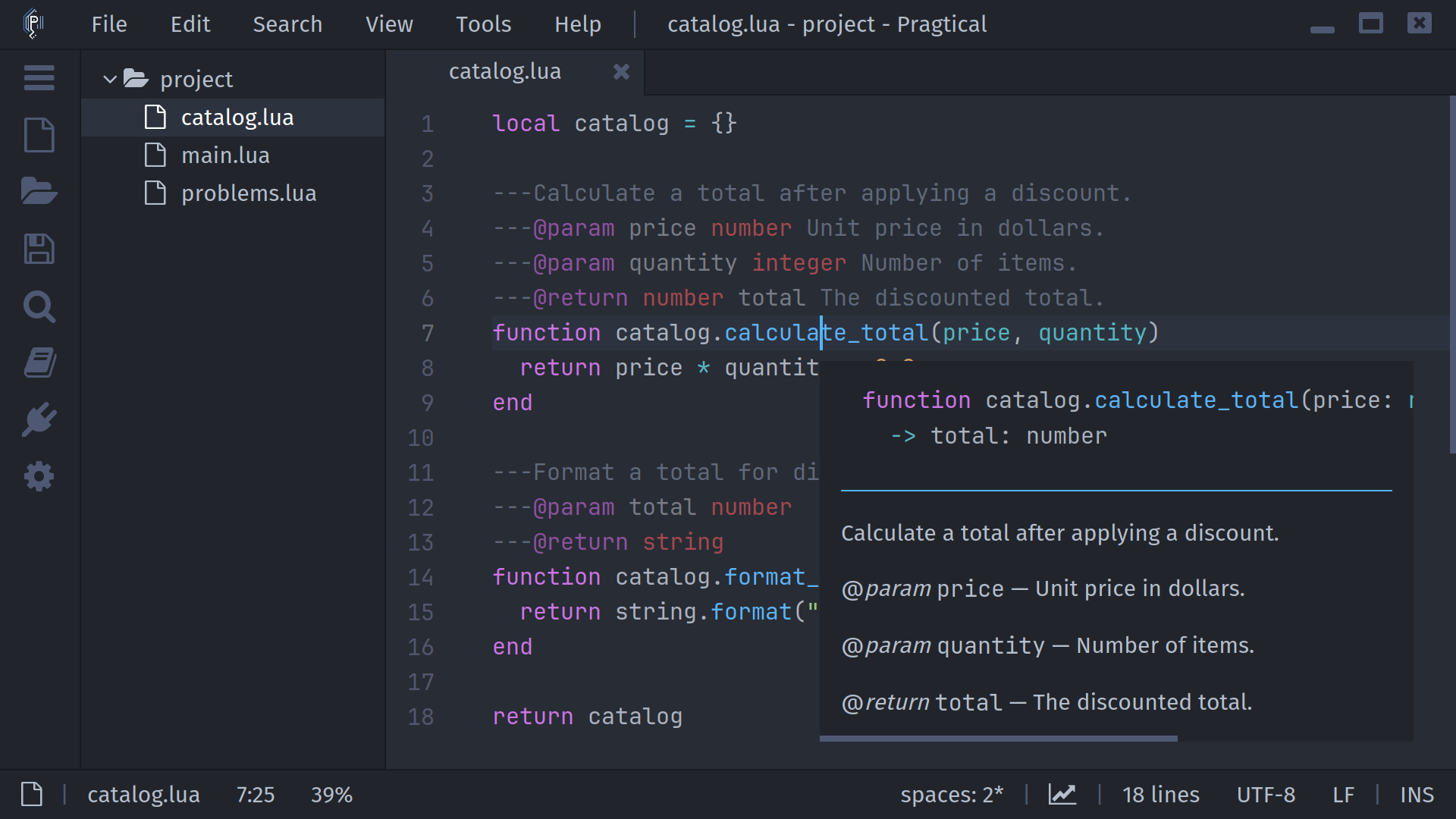
Move the pointer into mouse-opened documentation to read or scroll it. The popup follows the lifetime of its source view and dismisses when its context is no longer valid. Use escape to close it.
To keep the information in a document pane, press alt+shift+a
or run lsp:show-symbol-info-in-tab. This opens a Markdown help view in a
bottom split; later help requests can add tabs there.
Mouse hover defaults to enabled after a 300 ms delay. Keyboard requests still work when Mouse Hover is disabled. See Configuration.
Signature Help
Inside a function call, press ctrl+shift+space to request the function signature and parameter information. Servers may also request this interaction through their advertised trigger characters.
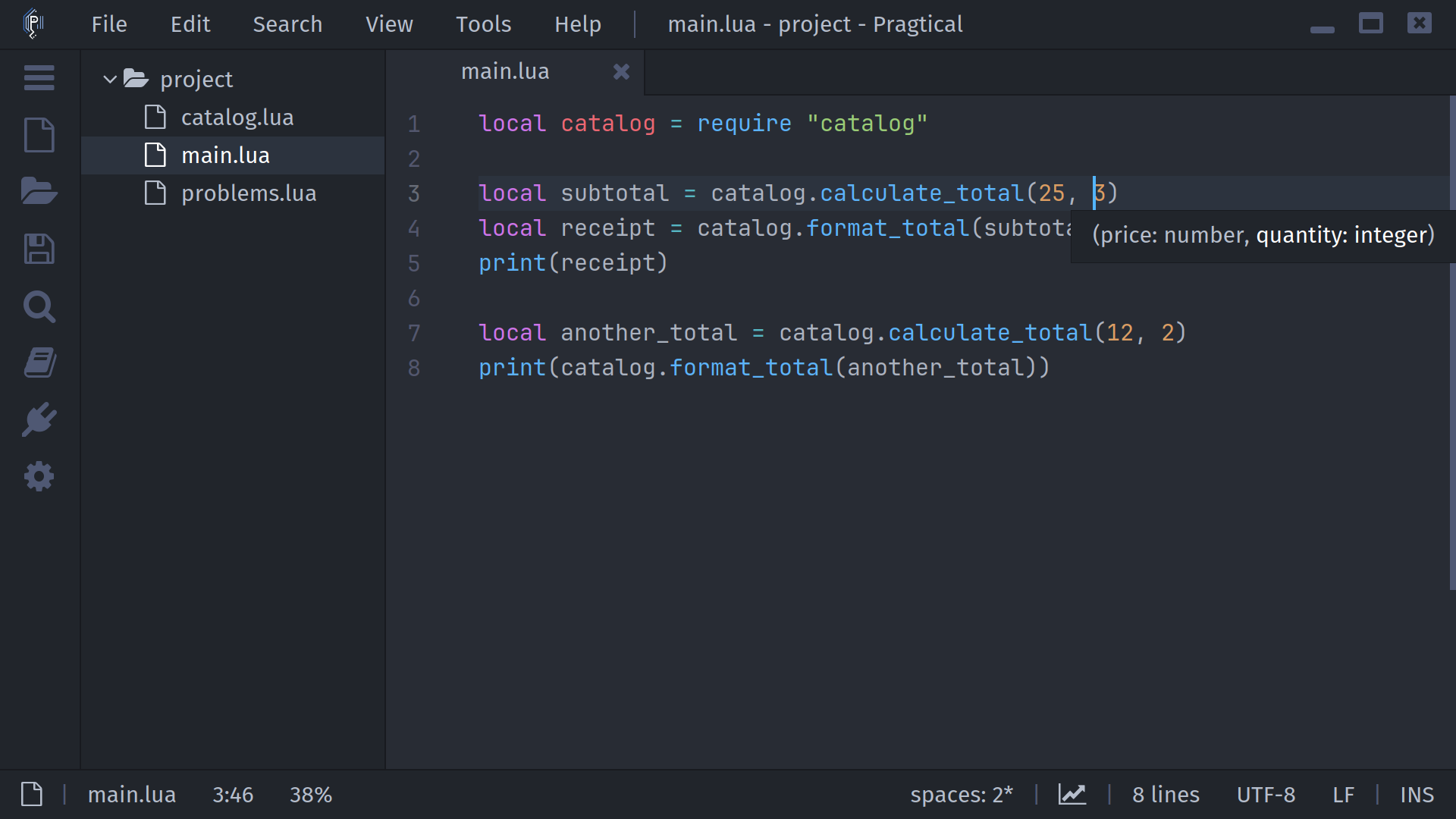
The server controls which overloads and active parameter are reported. Documentation may be absent if it has no information for that location.