Symbols and Navigation
Navigation uses the server's understanding of symbols rather than a text search. Keep the relevant source document active when invoking a command.
Definitions and Implementations
Place the caret on a symbol and press alt+d for its definition, or alt+shift+d for its implementation. You can also use alt+shift+left click for a definition and ctrl+alt+shift+left click for an implementation.
A location result opens the destination file and selects the returned range. When a server supplies multiple targets, choose from the result list. Implementation lookup requires the server to support that request.
References
Press alt+f on a symbol to open Filter References. Type to narrow the list and select a location to jump there. The request includes the declaration, so a result list can contain the definition too. No results may mean the server has not finished indexing the workspace.
Document Symbols
Press alt+s to open Find Symbol for the current file. Filter by name and select an entry to jump to its location. Symbol kinds, such as function or class, appear alongside the names.
Symbols Tree
The Symbols Tree displays the current document's structure in a right-hand pane. Expand nested items and select a symbol to jump to its range.
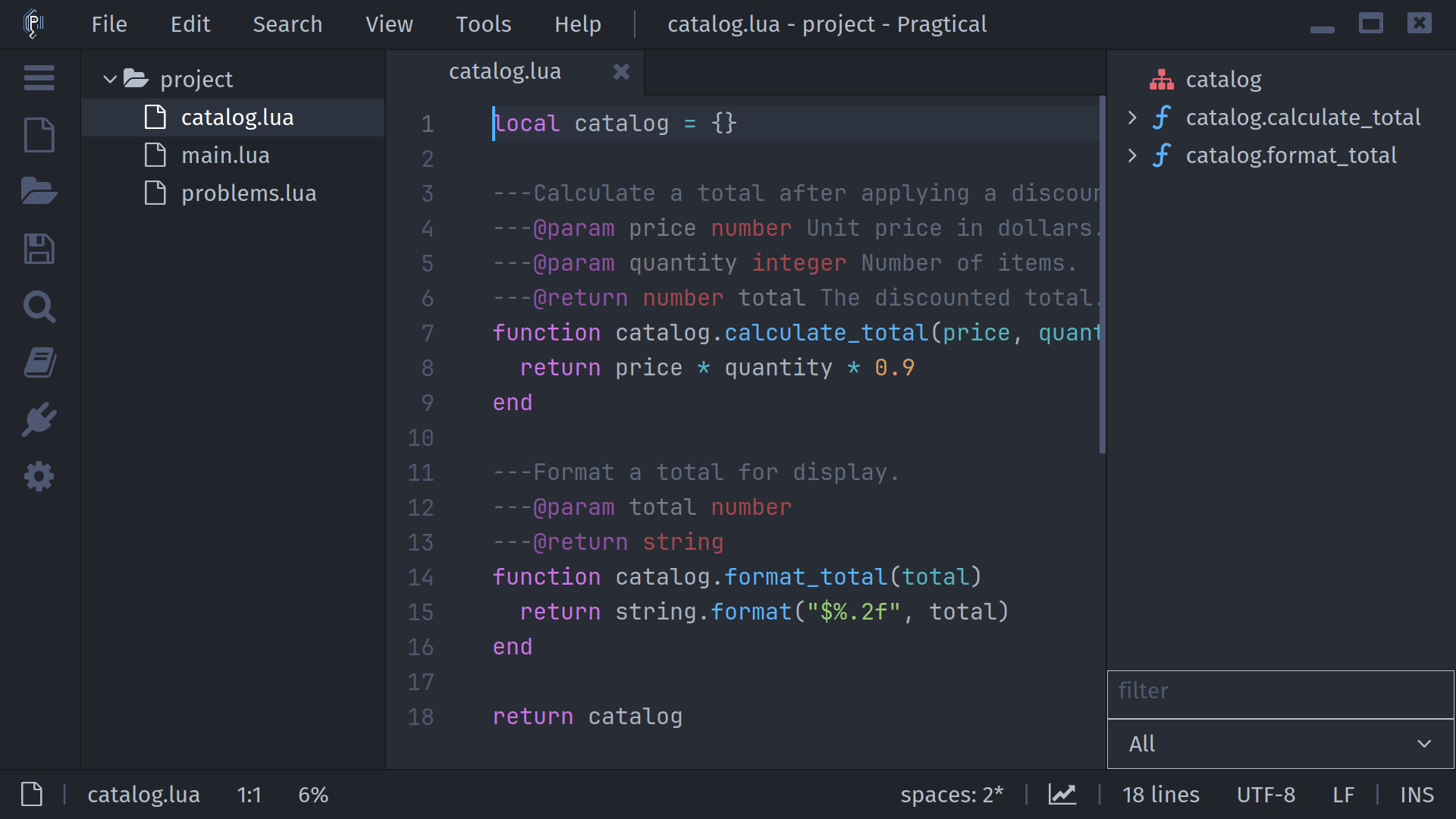
The text field filters symbol names. The kind selector narrows results to categories supplied by the server. Filters retain matching ancestors so nested results remain understandable.
Press alt+shift+backslash to toggle the pane.
A manual toggle disables auto-hide; run
lsp:enable-symbols-tree-auto-hide to restore automatic visibility.
In Auto mode the tree appears when symbols are available and hides when
they are not. Show and Hide set its initial visibility explicitly.
Settings exposes Symbols Tree Visibility and Symbols Tree Width under Plugins > Language Server Protocol. Refreshes follow document changes; the plugin waits for editing to settle before requesting a new tree.
Workspace Symbols
With a supported source document active, press alt+shift+s, enter a query, and submit it. Results open in a Symbols Search tab with symbol names, kinds, and file-location previews. Select a row to open its location.
This is a server-side symbol query, not a search over all file contents. Results depend on server indexing and project boundaries. Use Pragtical's project search for literal text instead.
Call Hierarchy
lsp:view-call-hierarchy is registered, but a completed incoming/outgoing
call browser is not implemented. Use references or document/workspace symbols
for navigation until that interface is available.