Source Control Management
The Source Control Management plugin, or SCM, integrates Git and Fossil with Pragtical. Review changes, prepare commits, inspect history, and manage branches and tags without leaving the editor. Repository operations run asynchronously so you can continue working while commands complete.
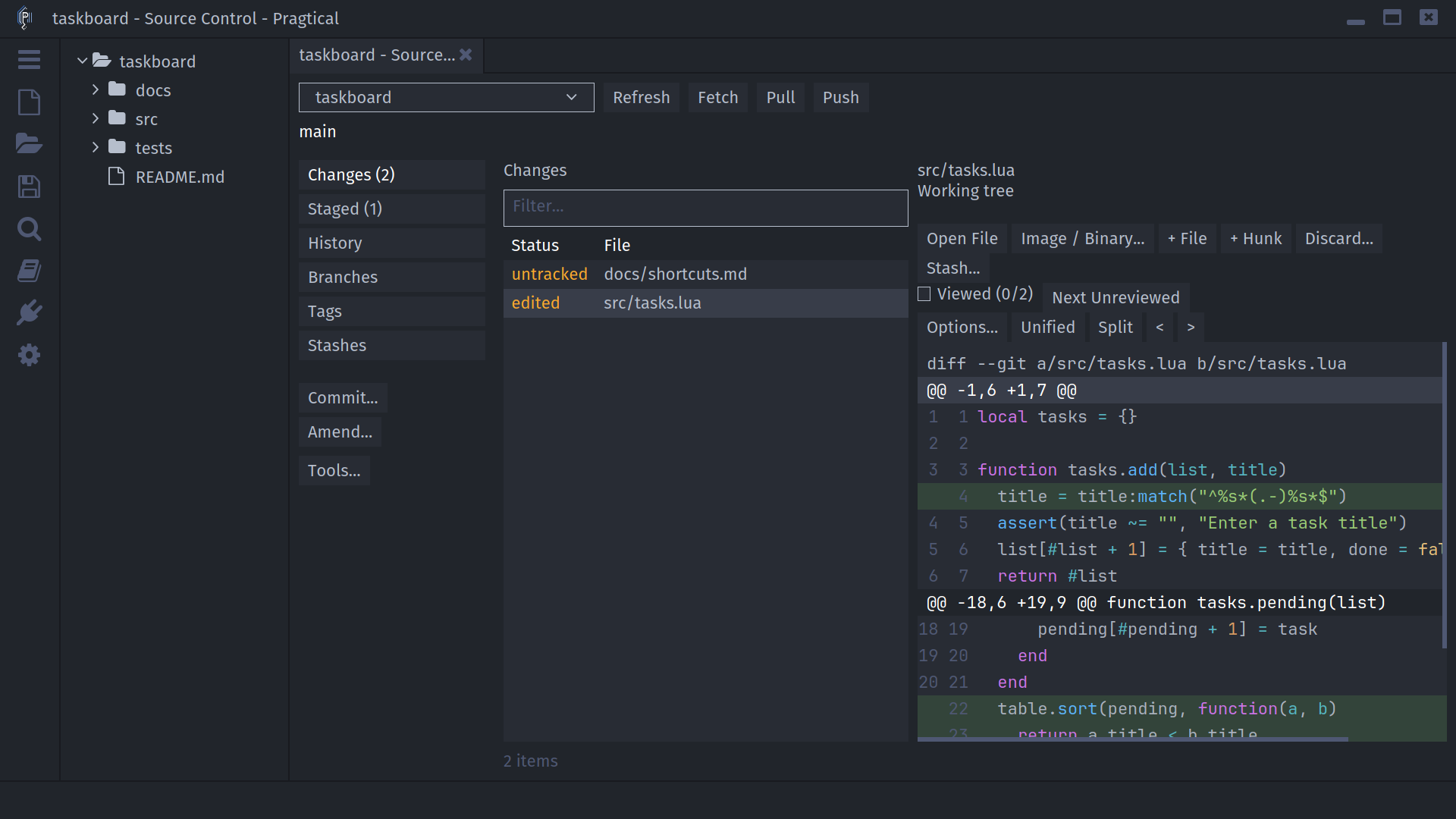
Start Here
New to the plugin? Follow Getting Started, then open the Repository Workbench with ctrl+shift+g.
For a typical Git change:
- Save your files and review Changes in the workbench.
- Stage the files, hunks, or lines that belong in the commit.
- Inspect Staged, choose Commit..., and write a message.
- Save the message, confirm Commit, then push when ready.
For Fossil, add new files and review tracked changes before committing. There is no separate staging area. See the backend differences below before applying a Git workflow to a Fossil checkout.
In This Manual
| Guide | What you will learn |
|---|---|
| Getting Started | Installation, repository detection, and initialization |
| Repository Workbench | Changes, staging, filters, and editor integration |
| Diffs and Review | Unified and split diffs, changed files, and Viewed marks |
| Commits and History | Commit messages, amend, history, cherry-pick, and blame |
| Branches and Tags | Create, check out, compare, edit, rebase, and delete refs |
| Remotes and Synchronization | Remotes, fetch, pull strategies, push, and authentication |
| Conflicts and Recovery | Resolve conflicts and continue or abort operations |
| Repository Tools | Stashes, search, worktrees, submodules, LFS, and rewriting |
| Configuration and Troubleshooting | Settings, executable paths, and common problems |
| Command Reference | Commands, shortcuts, and context-sensitive actions |
| Extending SCM | Backend interfaces and asynchronous integration |
Git and Fossil
SCM follows each tool's model. An unavailable operation is not necessarily a missing executable or a broken menu: it may not apply to that backend.
| Workflow | Git | Fossil |
|---|---|---|
| Review changes and commit history | Supported | Supported |
| Stage files, hunks, or lines | Git index | No staging area |
| Create and check out branches or tags | Supported | Supported |
| Delete a branch | Delete a local branch ref | Close the branch; history remains |
| Amend through the commit editor | Replace the current commit, including staged changes | Change the current check-in's comment |
| Rebase a branch | Supported | Not offered |
| Merge branches | Merge or fast-forward, with conflict preferences | Normal or integrate merge; commit afterward |
| Stash tracked work | Supported | Supported |
| Include untracked files in a stash | Optional | Not offered |
| Incoming and outgoing commit counts | Relative to the configured upstream | No Git-style tracking-ref comparison |
| Manage remote URLs | Named remotes and separate push URLs | Named remotes and sync default |
| Push or delete individual remote refs | Supported | Not offered |
| Worktrees, submodules, LFS, local rewrite plans | Git-specific tools | Not offered |
Review confirmation dialogs before discarding changes, deleting refs, applying stashes, or rewriting history. Keep a separate backup of important uncommitted work. A diff view or Viewed mark is not a backup.