Diagnostics and Code Actions
Servers publish diagnostics for problems they detect, including errors, warnings, information, and hints. The plugin stores these messages for its diagnostic lists and optionally sends them to Lint+ for inline rendering.
Document Diagnostics
Press alt+e or run lsp:view-document-diagnostics.
The Filter Diagnostics prompt lists messages for the active document,
with line and column positions. Type to filter and choose a message to move
the caret to its reported location.
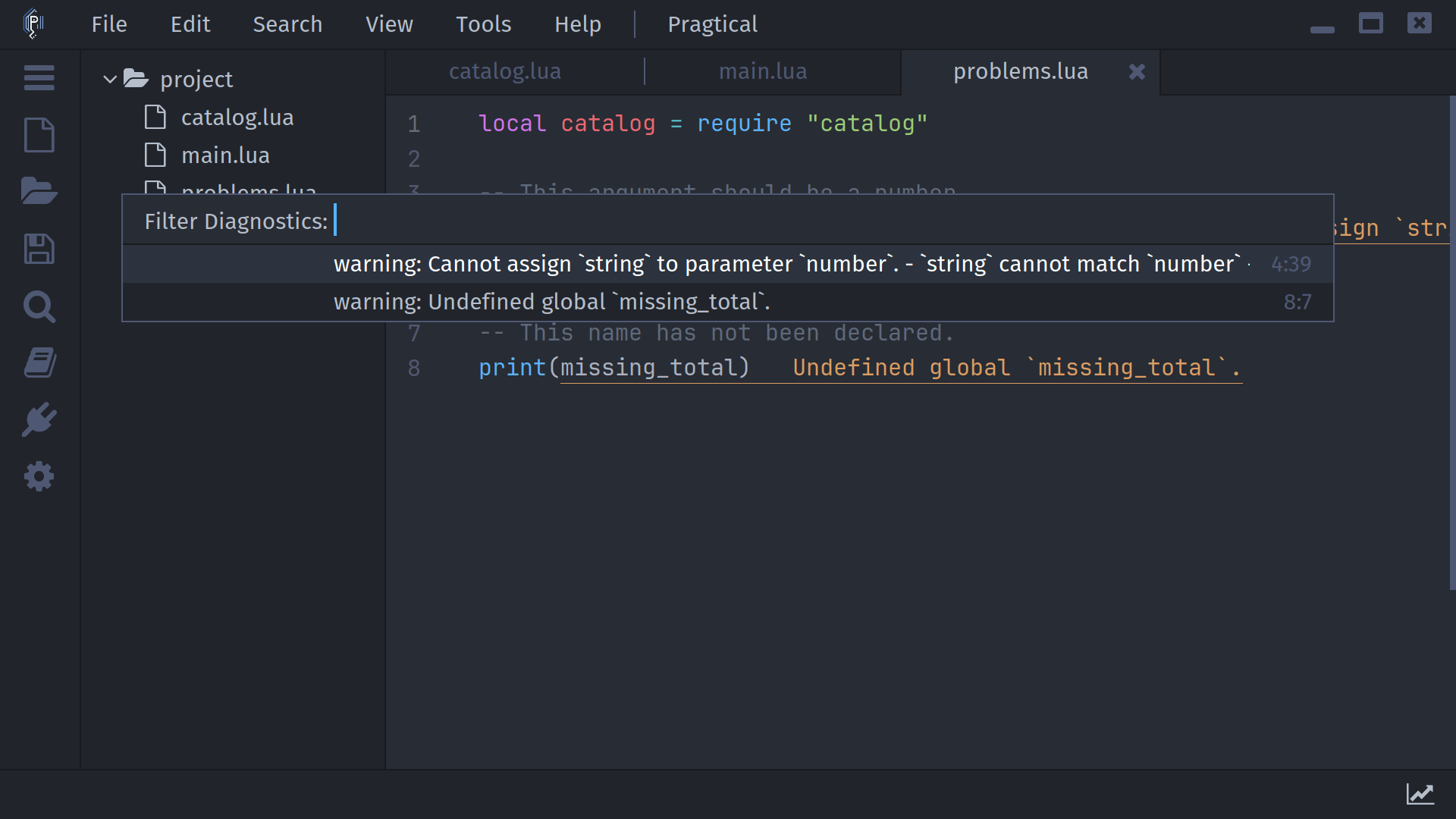
The message text and severity come from the server. A document with no published messages logs No diagnostic messages found instead of opening an empty picker.
Diagnostics Across Files
Press ctrl+alt+e to open Filter Files, which lists files with stored diagnostics and their message counts. Choose a file, then use the document diagnostic command to inspect its messages.
This is a list of diagnostics the server has actually published, not a command that forces a complete workspace check. Some servers only analyze open files.
Inline Messages
Install Lint+ and enable Diagnostics under Settings > Plugins > Language Server Protocol. Press alt+shift+e to toggle inline diagnostics. The plugin reports an installation error if Lint+ is unavailable.
Diagnostics Delay controls how long rendering waits after updates, in milliseconds; the runtime default is 500. Turning off inline rendering does not disable the server's analysis or remove access to diagnostic lists.
Code Actions
Place the caret on a problem or select a range, then press alt+c. The plugin asks the first applicable server supporting code actions for actions at that range, including related diagnostic information.
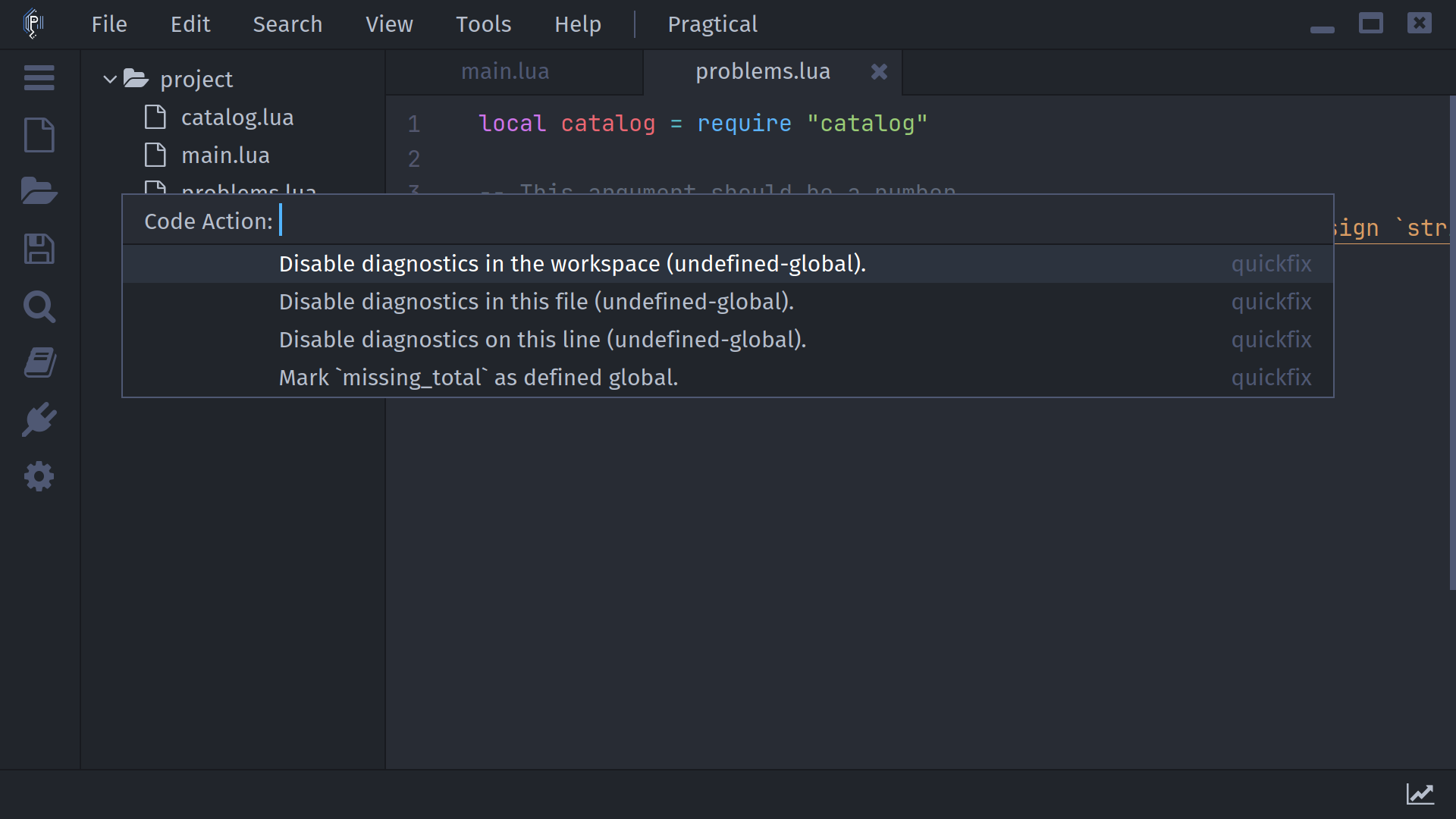
Choose an action in Code Action to run it. The list can include a kind or disabled reason. A disabled action is not applied. If no actions are returned, the editor logs that result.
Depending on the server, an action can apply text edits, execute a server command, or perform file creation, rename, or deletion. This path does not open the symbol-rename preview. Open documents receive edits in memory; documents opened internally to apply an edit are saved by the plugin.
Review the resulting changes before committing them. Multi-file actions are not a single atomic editor undo operation, and an operation can fail after earlier changes have already been applied.
The document context menu offers Code Action when its contextual predicate matches. The command palette and Tools > Language Server provide the explicit request even when that context-menu item is absent.