Code Folding
Pragtical includes built-in Code Folding for collapsing and expanding regions of code directly in the editor. Fold regions are detected from document structure and indentation, then shown with fold markers in the gutter.
Collapsed regions keep large files easier to scan while preserving normal editing, navigation, and scrolling behavior.
Features
-
Gutter Fold Markers Foldable regions show markers in the editor gutter. Click a marker to collapse or expand the region.
-
Keyboard Friendly Toggle the current region, fold every region, or unfold every region with commands and default shortcuts.
-
Nested Regions Nested code blocks can be folded independently, making it practical to reduce large files to their relevant structure.
-
Persisted Fold State Folded regions are remembered per document and restored when possible after reopening files.
-
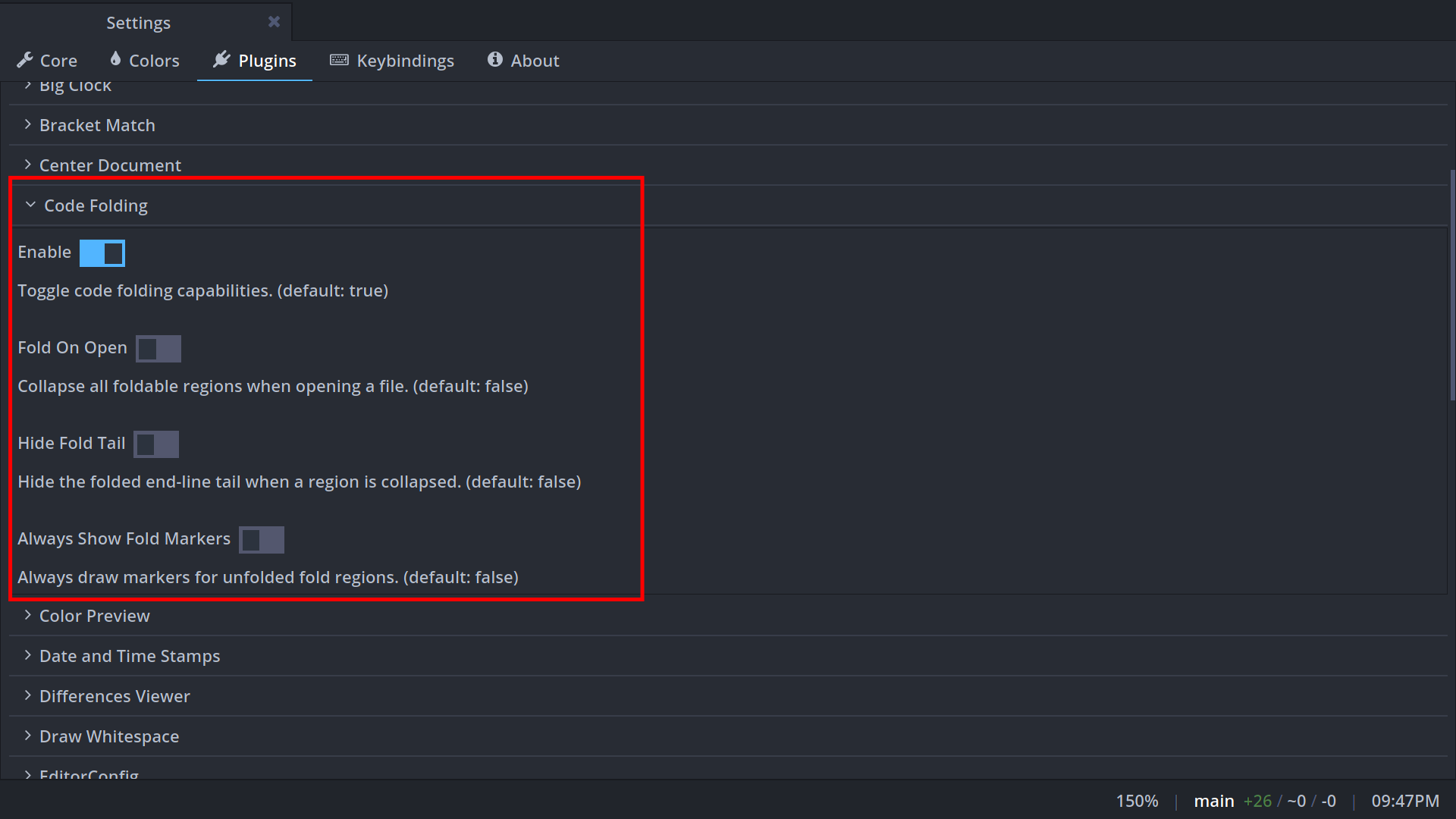
Configurable Display Code folding can be enabled or disabled, fold markers can always be shown, and files can start with all foldable regions collapsed.
Usage
There are different ways to use Code Folding:
-
Gutter Markers: Click the fold marker in the gutter next to a foldable region.
-
Keyboard Shortcuts: Use the default shortcuts to toggle, fold all, or unfold all regions.
-
Command Palette: Press ctrl+shift+p and search for the
code-foldingcommands. -
Settings UI: Open Settings and search for Code Folding to adjust its behavior.
Available Commands
| Name | Description |
|---|---|
code-folding:toggle | Toggle the fold region at, or containing, the active line |
code-folding:fold-all | Collapse all foldable regions in the active document |
code-folding:unfold-all | Expand all folded regions in the active document |
Keyboard Shortcuts
| Action | Shortcut |
|---|---|
| Toggle current region | alt+shift+left or alt+shift+right |
| Fold all regions | alt+shift+up |
| Unfold all regions | alt+shift+down |
Configuration
The following configuration options are available:
- User Module
- Settings UI
---Whether code folding is enabled.
---@type boolean
config.plugins.codefold.enabled = true

---Collapse all foldable regions when opening a file.
---@type boolean
config.plugins.codefold.start_folded = false

---Hide the folded end-line tail when a region is collapsed.
---@type boolean
config.plugins.codefold.hide_tail_on_fold = false

---Always draw markers for unfolded fold regions.
---@type boolean
config.plugins.codefold.always_show_fold_markers = false
The same options are available from the Settings UI under Code Folding.
For plugin-level details, check the code folding API docs.