Font Ligatures
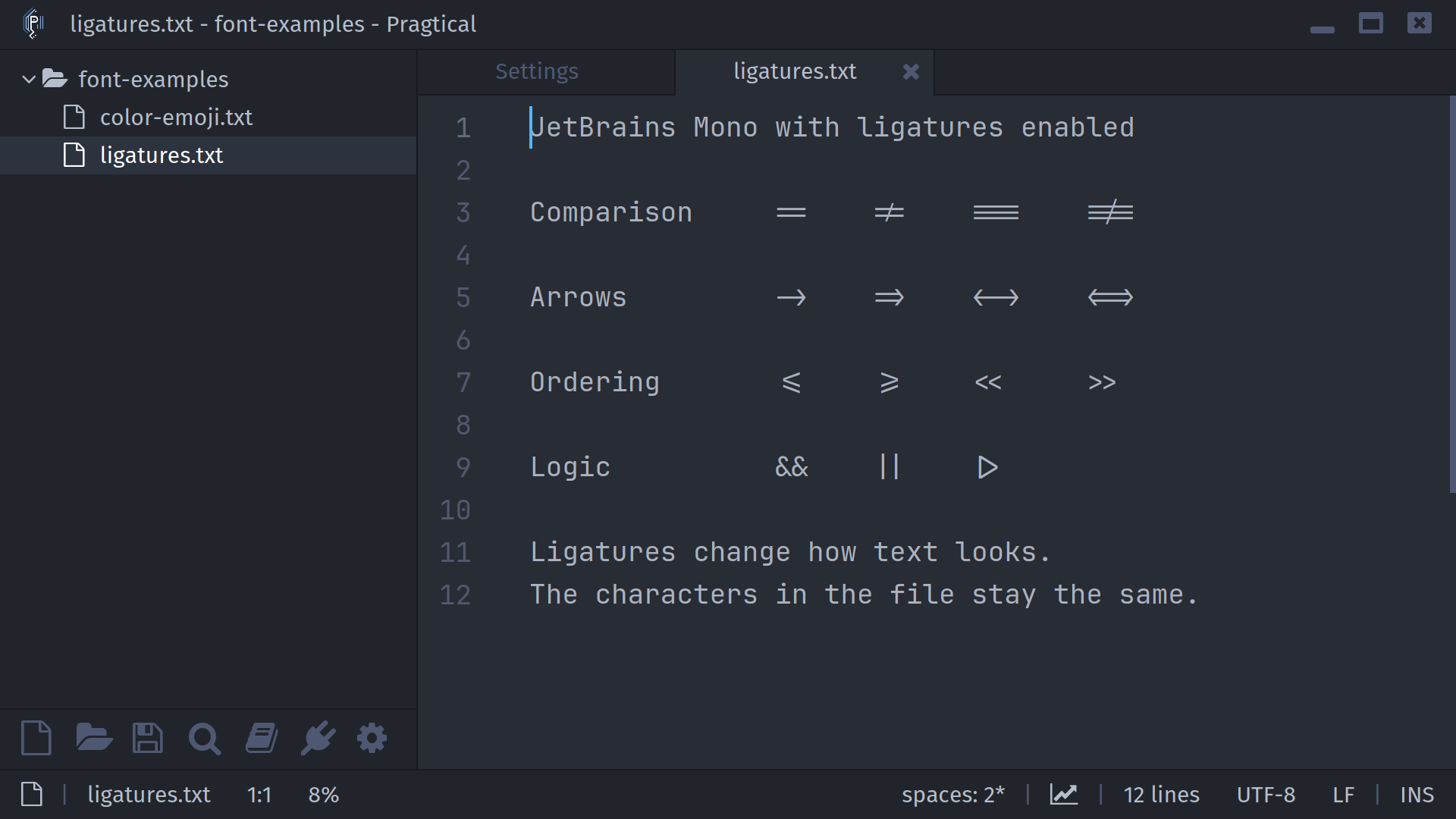
Pragtical supports font ligatures, allowing a compatible font to join characters
such as !=, => and >= into a single visual symbol. This only changes how
the text is rendered: editing, copying and saving still use the original
characters.
Ligatures are disabled by default. The bundled JetBrains Mono font supports them, so you can try the feature without downloading another font.
Enable Ligatures
- User Module
- Settings UI
Open your user module and enable the ligatures
option when loading the code font:
local style = require "core.style"

style.code_font = renderer.font.load(
  DATADIR .. "/fonts/JetBrainsMono-Regular.ttf",
  15 * SCALE,
  { ligatures = true }
)
Replace the path to use another font with ligatures. Set ligatures = false
to disable them again.
When using renderer.font.group, set the option on each font that should use
ligatures. The color emoji guide includes a fallback example.
- Open Settings with the
ui:settingscommand. - In the Core tab, expand Editor and find Code Font.
- Double-click JetBrains Mono Regular, or the font you want to edit.
- Check Ligatures in the Font Selector and press Save.
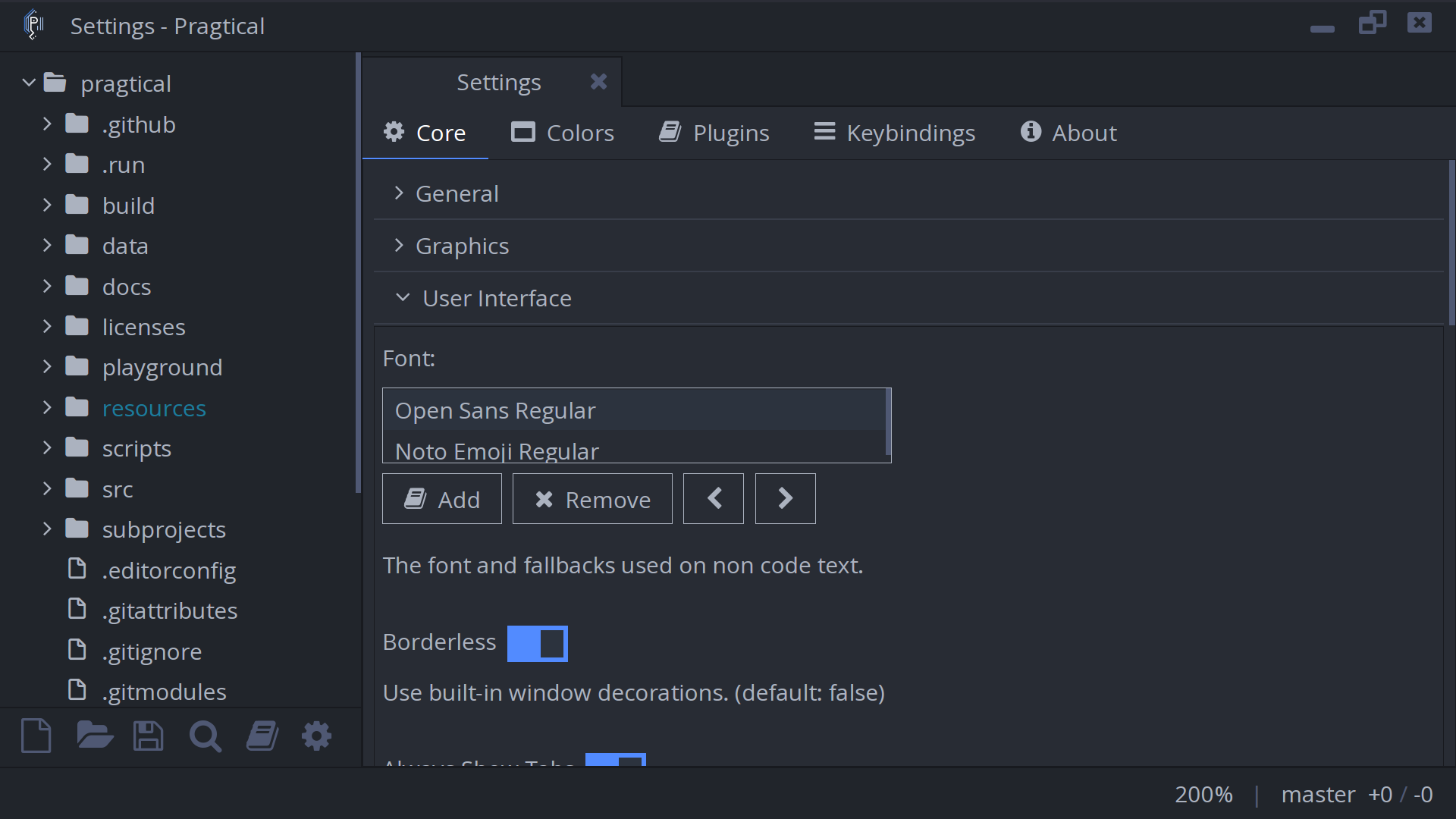
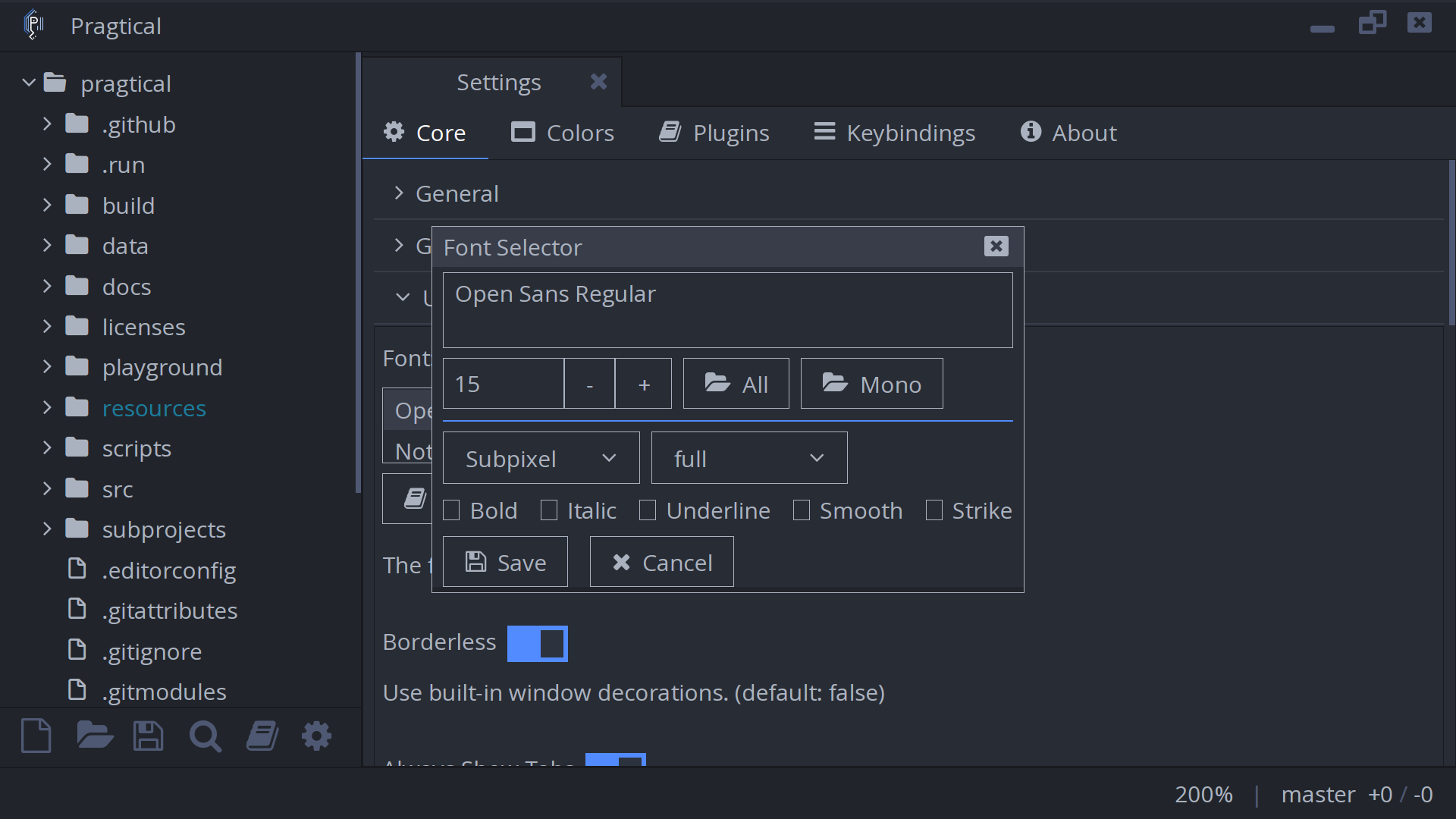
The size and font options apply to every font in this list. To configure ligatures separately for individual fallback fonts, use the User Module.
Font Support
The available ligatures depend on the font. Enabling the option will not add ligatures to a font that does not provide them. Ligatures also stay within the same font and rendered text run, so syntax highlighting or a fallback font boundary can keep a sequence from joining.
For interface text, configure Core > User Interface > Font instead of
Code Font, or assign the font to style.font in Lua.
See the renderer font options for the complete API.